Reference
Blob and Circle: Waveform Styles That Work as a Centerpiece
What are the blob and circle waveform styles?The two closed-contour shapes. Instead of running along the bottom of the frame, both sit in the middle of it. Blob is a disc whose entire outline swells with the sound, in four sub-styles (solid, outline, rings, petals). Circle wraps the scope line onto a circle, pushed both outward and inward, so it reads as two nested breathing outlines.
Their outline forms leave the center of the frame open, which is why they work around album art and why they fit a 1:1 social post far better than a strip does.
Most waveform styles are a strip: bars, mirror, scope and area all run left to right along the frame, and you place them at the bottom of a video. Blob and circle are different in kind: they are closed shapes that sit in the middle and become the composition. If you have been looking for a visualizer that produces artwork rather than a subtitle bar, these are the two to try.
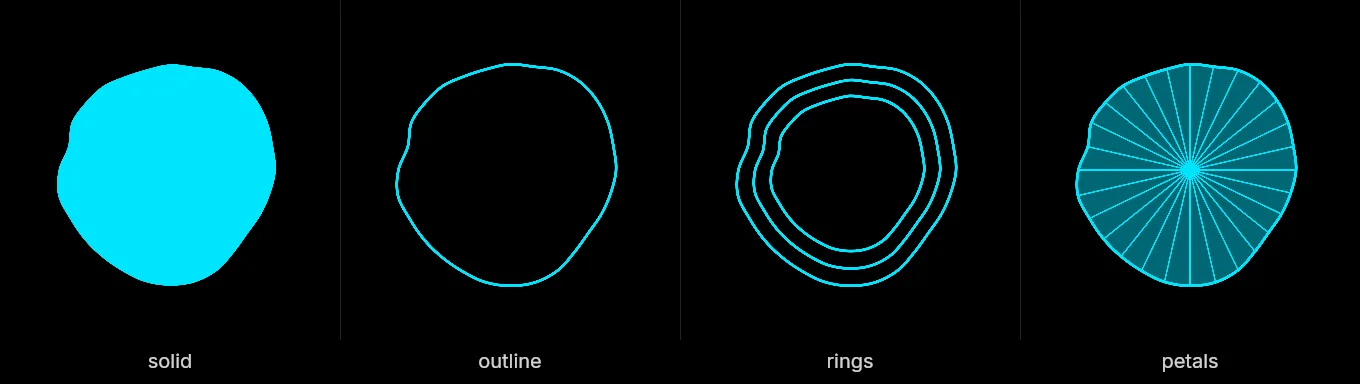
Blob
Blob is a closed disc whose entire outline breathes with the sound. Rather than each frequency band getting its own bar, each band swells one section of a single continuous contour, and the outline is drawn as a smooth curve, so it reads as one organic shape pulsing, with no visible seam where the contour closes.
It comes in four sub-styles, all with identical motion; only the drawing changes:
- Solid: a filled disc. The boldest, and the most legible at small sizes.
- Outline: the contour stroked, hollow inside. Lets artwork or footage show through the middle.
- Rings: three concentric contours at descending sizes, which gives the pulse a sense of depth.
- Petals: a filled contour plus thin rays running out from the center, for a flower-like or sunburst read.
Two settings shape it: a base radius that sets how big the resting disc is relative to the frame, and a depth that sets how far the sound pushes the contour out. Low depth gives a calm, slowly breathing shape; high depth gives something spiky and reactive.
Circle
Circle is the scope line wrapped onto a ring. Each band pushes the line off a base circle both outward and inward by the same amount (symmetric about the circle exactly as scope is symmetric about its midline), so what you see is two nested outlines breathing against each other.
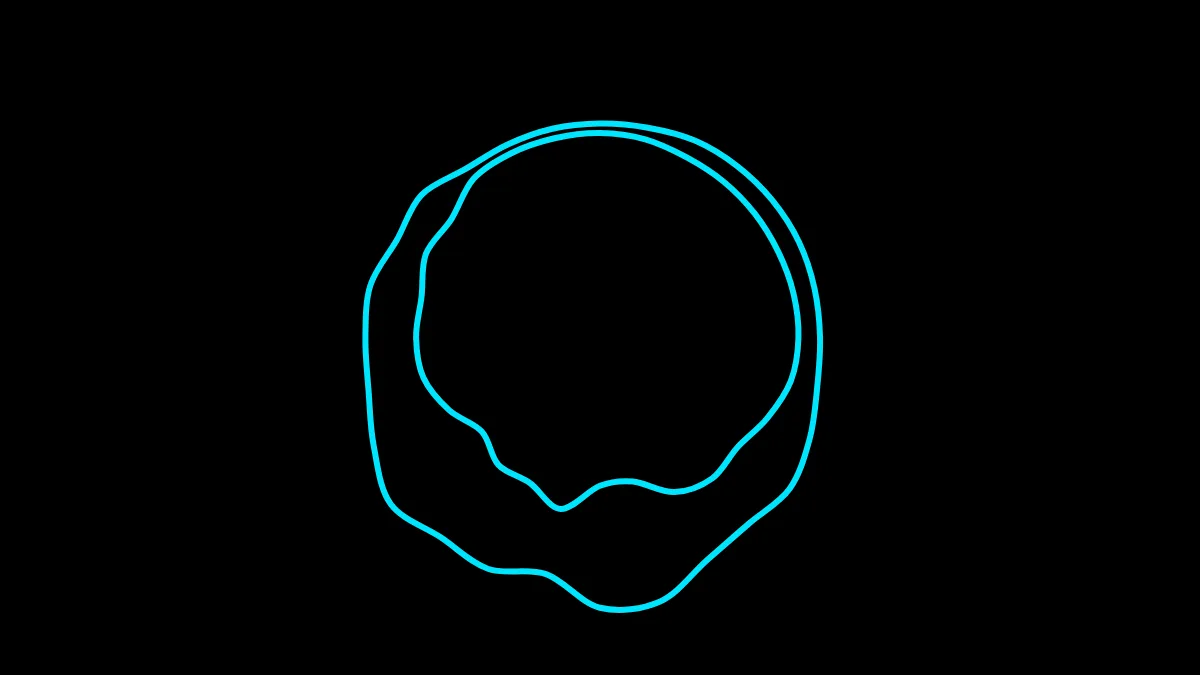
The deviation is capped, deliberately, so that even at full amplitude the two contours never cross each other or collapse through the center. The result stays readable no matter how loud the track gets. You control the base radius and the line weight; a thin line reads as delicate and technical, a heavy one as a graphic frame.
Which one, when
- Waveform around album art → circle, or blob in outline mode. Both leave the middle open.
- The waveform is the artwork → blob, solid or petals.
- Ambient, drone, acoustic → blob with low depth. The slow swell suits material without a hard beat.
- Electronic, sound design → circle with a thin line, which keeps the signal-like feel of scope.
- Square social posts → either. A centered shape fits a 1:1 frame far better than a strip does: see sizes per platform.
Two things worth knowing
Both styles draw in a single flat color with no gradient and no dark edge, on purpose. That is because the standard MP4 export is designed to be composited with the Screen blend mode, where anything tending toward black disappears: a soft dark edge would eat itself. Pick a bright color and it will hold up; see choosing colors that pop.
And because these two shapes so often want to sit over artwork or footage, they pair naturally with a transparent export rather than the black-background MP4.
Make your waveform video
Free, no signup, right in your browser. Load a track and export an MP4.
About this article: it was written with the help of AI (Claude) and published by Music Waveform. We review our posts for accuracy against how the tool actually works, but if you spot something off, email damienyvert.dev@gmail.com.